 Documentation
Bulk actions on users/user groups
SKOOR 9.0 intoduced bulk actions on users, now it supports also a combination of Users and UserGroups.
This allows admins to run some adminstrative changes on multiple users/ user groups at once
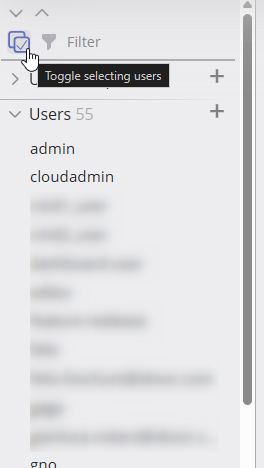
Click the toggle user select button in the sidebar.
The options in the list change based on the selected users / user groups.
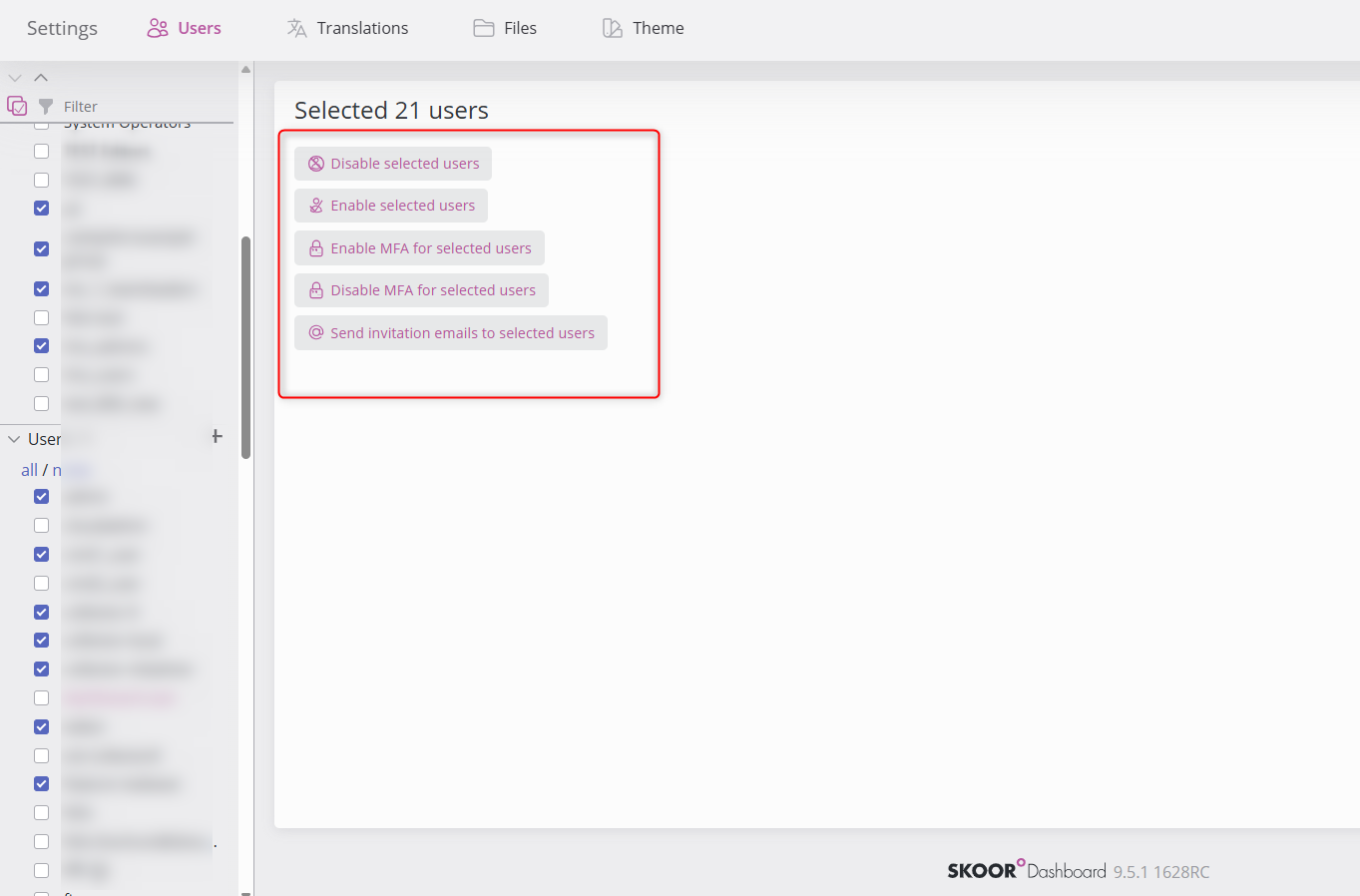
Select boxes appear in the sidebar list, select multiple users/user gorups and observe the actions that can be conducted on the right side of the sidebar.
Disable selected users (at least 1 selected user is enabled)
Enable selected users (at least 1 selected user is disabled)
Enable MFA for selected users (at least 1 selected user has MFA disabled)
Disable MFA for selected users (at least 1 selected user has MFA enabled)
Send invitation emails (at least 1 selected user has email setup)
Delete users (None of the selected users is Remote (managed/auth))