Documentation
Search Function
The search widget lets you set a list of parameters to specific values.
The Filter Matrix offers significantly more filter customization options.
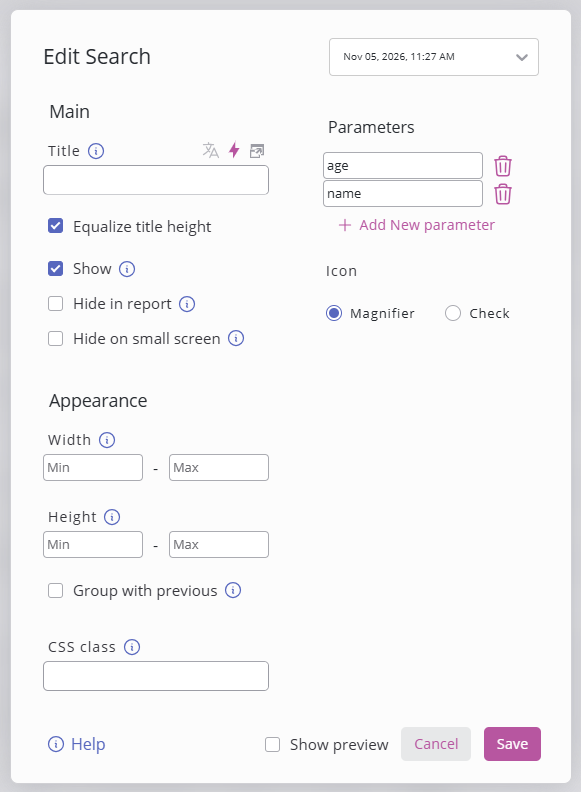
Add the parameter names you want to use in your search.
If no parameters are defined, the widget uses the
searchparameter by default.
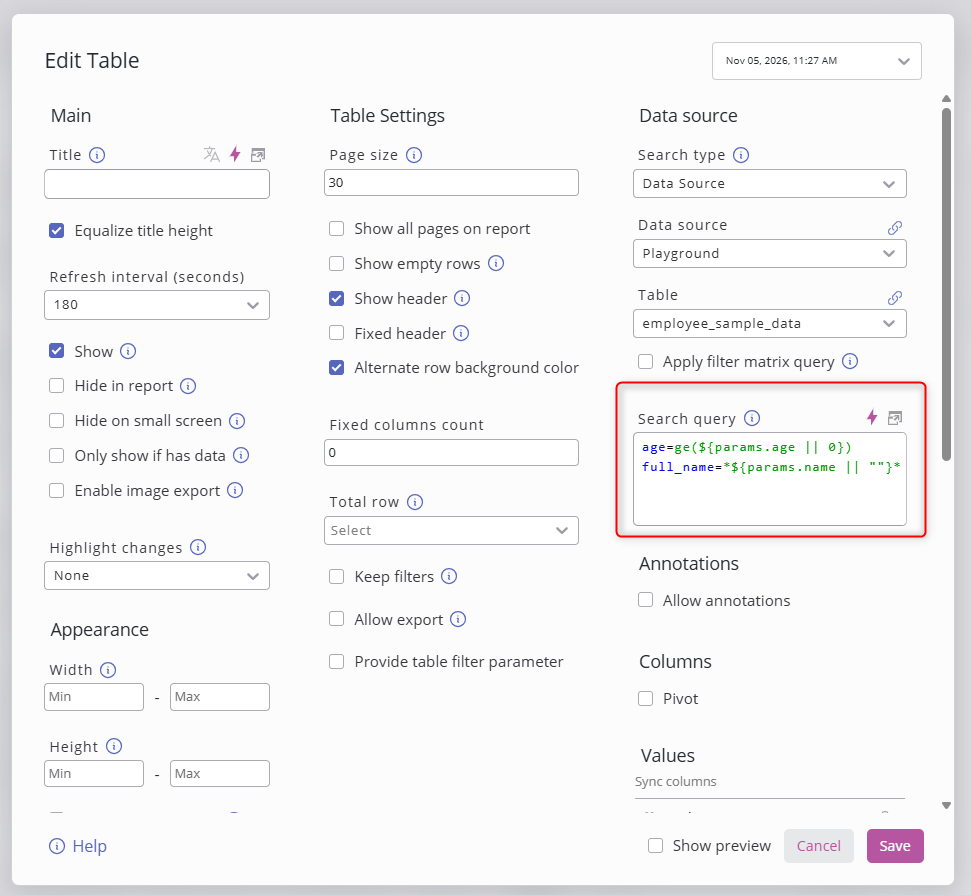
Make sure you use these parameters in your preferred search queries, titles, and text widgets.
Save the widget.
Change your searches dynamically by entering new values and pressing
↵ Enteror clicking the search icon.
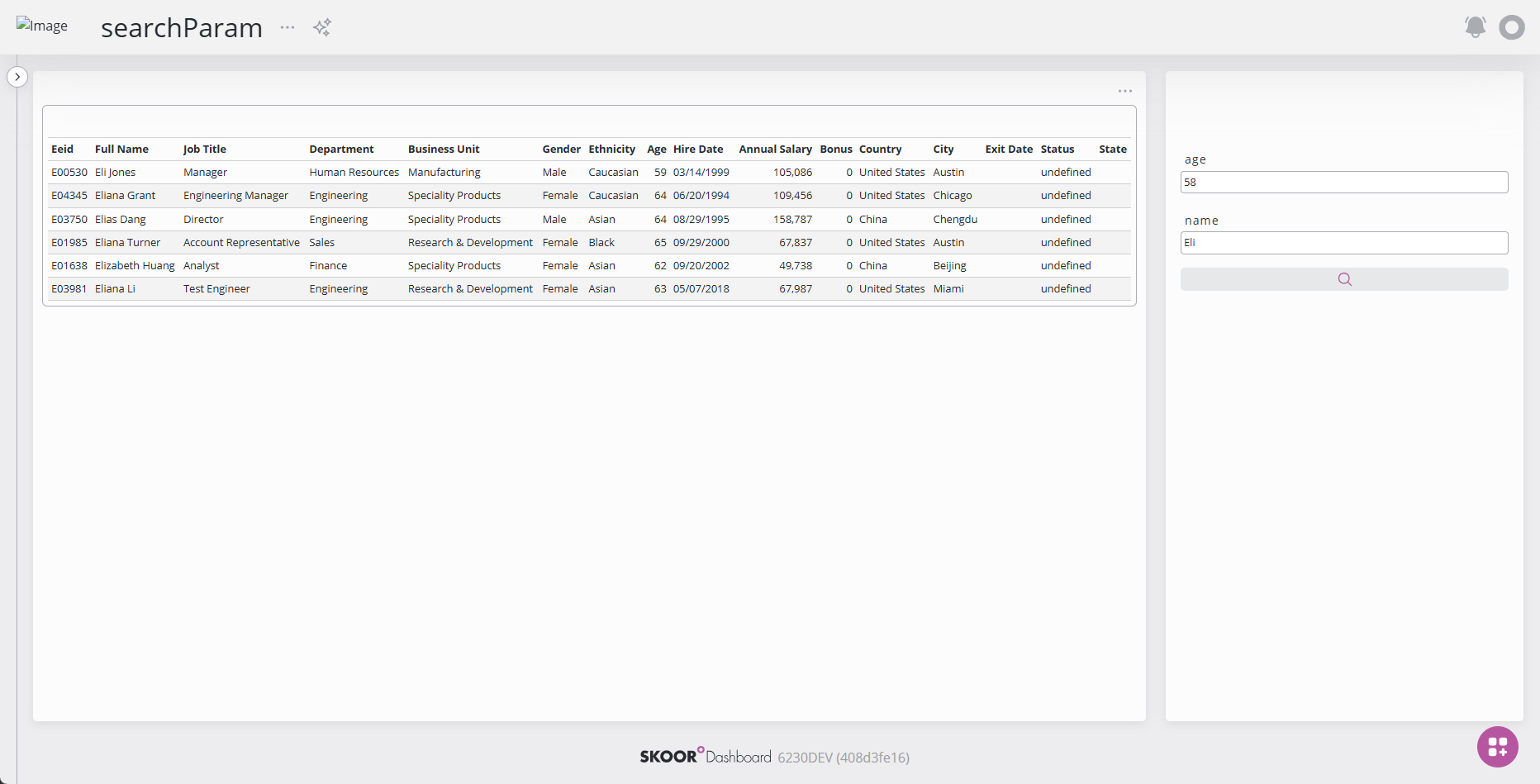
Example: Use the search widget to filter a table widget with a search query
Set up the search widget as follows:
The table widget uses the following search query:
Enter the following search attributes in the search widget:
age →
58name →
Eli
This filters the results in the table widget to show employees who are:
58 years old or older.
Whose name contains
Eli.