 Documentation
Video
Videos can be placed in the dashboard or dashboard header using the videos widget.
Sources
A video comes either from an uploaded file or from an external URL. Uploaded files are served from the web service and resolved through the internal file path. External URLs are passed through unchanged, so they must be publicly reachable from the browser.
Direct video files (MP4, WebM) play natively in the browser. For MP4, H.264 video with AAC audio is the safest choice, as other codecs such as H.265 are not supported everywhere. Seeking within a file requires the hosting server to support HTTP range requests.
Live streams (HLS)
URLs ending in .m3u8 are recognised as HLS streams and handled by hls.js, which is loaded on demand. This is supported in current browsers, including those without native HLS support. On platforms where hls.js cannot run, the widget falls back to the browser's own playback.
The stream server must send CORS headers permitting GET requests, otherwise the browser blocks the stream.
Other protocols are not supported. In particular, RTSP URLs from IP cameras cannot be played by any browser and must be converted to HLS beforehand. DASH (.mpd) is not supported either.
Restrictions
Uploaded files are limited to 100 MB. For larger videos, use an external URL or a stream instead. If a video or stream cannot be loaded, the player stays blank and shows no error message, so it is worth verifying the URL before publishing a dashboard.
Editing Videos
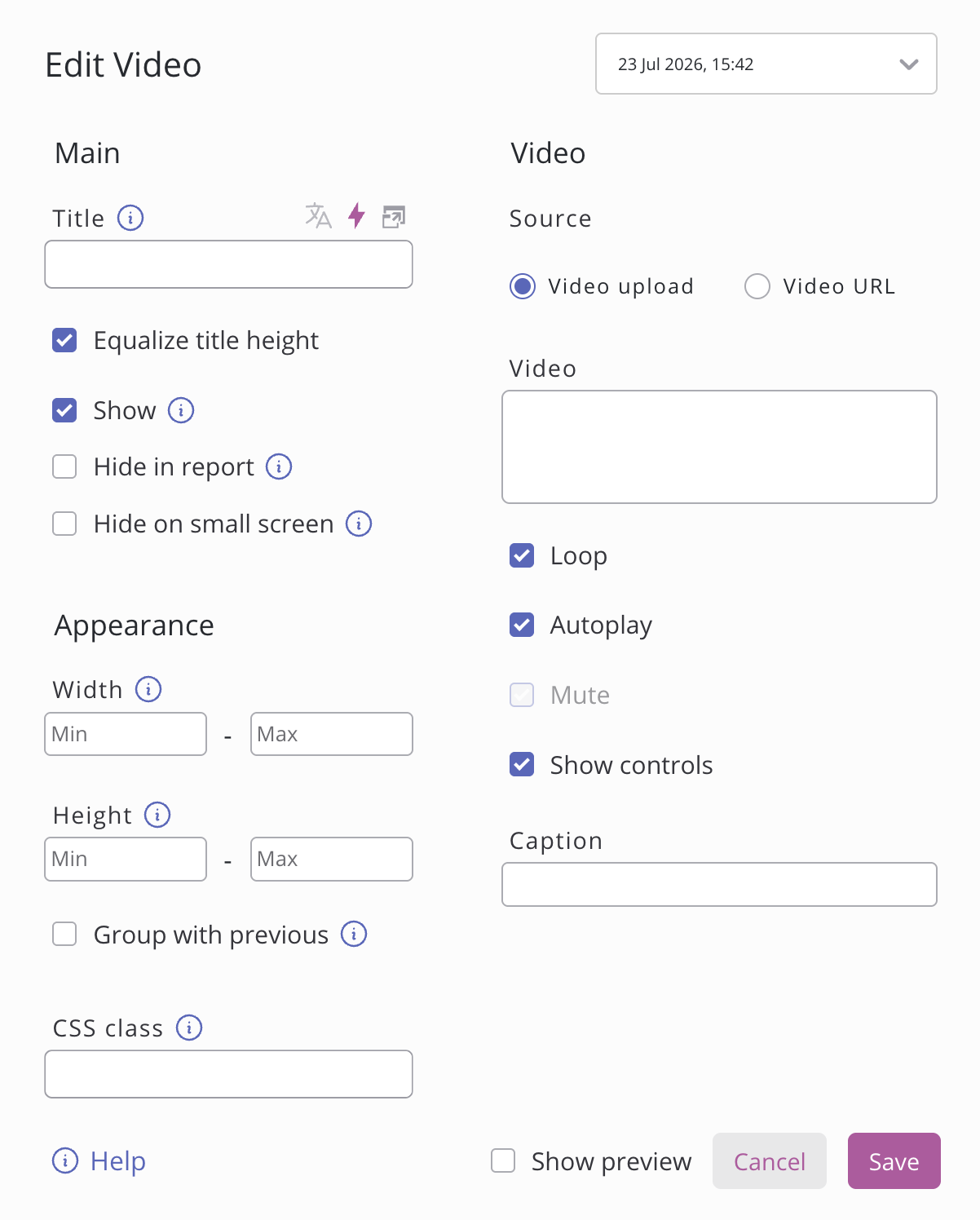
The following properties can be set in the settings of the widget:
Setting | Description |
|---|---|
Source | Choose whether the video comes from an uploaded file or an external URL. URLs accept direct video files (MP4, WebM) and HLS streams ( |
Loop | Restarts the video automatically when it reaches the end. Has no effect on live streams. |
Autoplay | Starts playback as soon as the widget loads. Browsers only allow this without sound, so autoplay forces the video to be muted. |
Mute | Plays the video without sound. Locked on while autoplay is enabled. |
Controls | Displays the browser's built-in player controls for play, pause, seeking, volume and fullscreen. Without them the video can only be controlled through autoplay and loop. |
Caption | Optional caption shown below the video. |